Digital Intake Forms for Beauty Salons: 2026 Guide
Discover how digital intake forms for beauty salons streamline your client intake process, enhance compliance, and improve service in 2026.

Digital Intake Forms for Beauty Salons: 2026 Guide

Digital intake forms for beauty salons are web-based client questionnaires that replace paper forms, collecting health history, consent, and service preferences before a client ever sits in your chair. Platforms like Acuity Scheduling, Boulevard, and Bella Booking have built intake directly into the booking flow, so your team arrives at every appointment already knowing the client’s contraindications, patch test history, and treatment goals. The shift from clipboard to digital consultation forms is not just a convenience upgrade. It changes how your front desk operates, how your estheticians prepare, and how confidently you handle compliance. This guide covers what to collect, how to integrate, which tools to use, and how to deploy the whole system without disrupting your team.
What digital intake forms for beauty salons should collect
The most effective salon client information sheets collect exactly what your service providers need and nothing more. Overloading a client with a 40-question form before their first blowout kills completion rates and creates a poor first impression. Focus on four categories.
Contact and communication preferences cover the basics: full name, phone, email, and preferred contact method. Add a field for how the client heard about you. That single data point informs your marketing without requiring a separate survey.
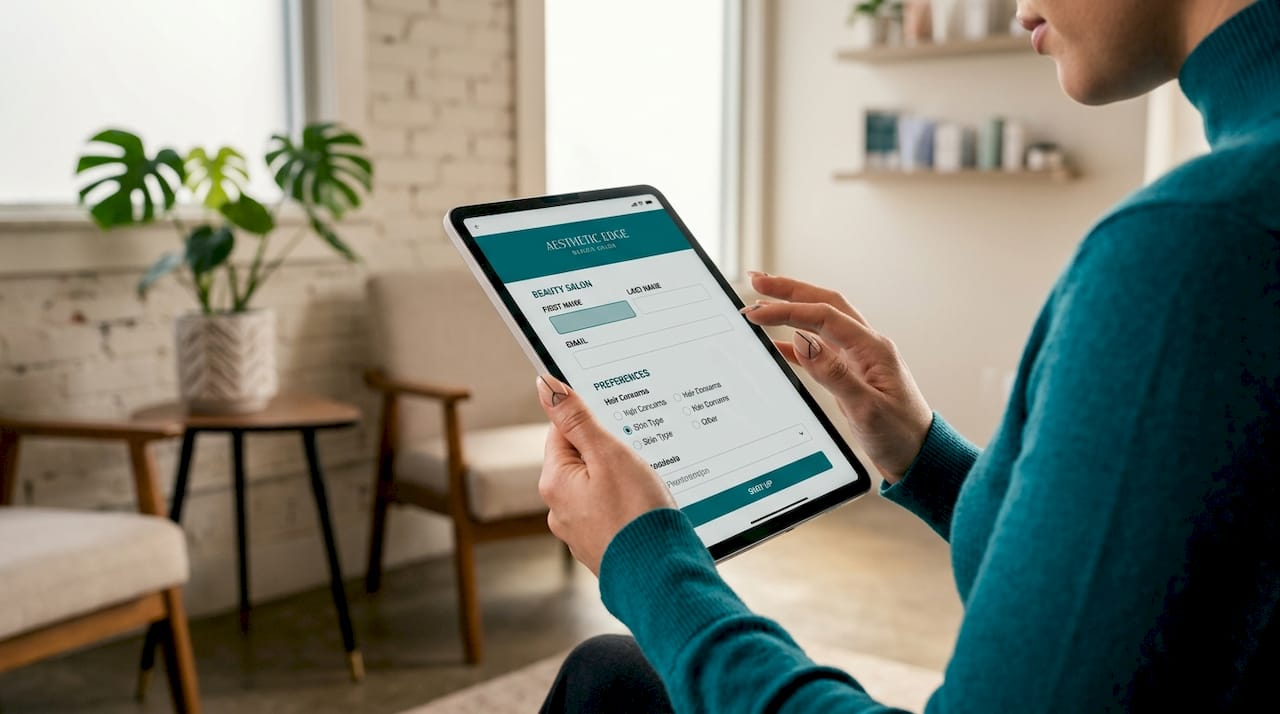
Health history and contraindications are non-negotiable for any chemical, laser, or skin treatment. Ask about allergies, current medications, skin conditions, and recent procedures. For color services, document patch test results and dates. For facials, capture skin type, sensitivities, and active breakouts. Service-specific forms improve relevance and client completion rates because clients only answer questions that apply to their appointment. A client booked for a keratin treatment should not wade through questions designed for a microblading consultation.
Service preferences and goals let your providers personalize the appointment. Ask what the client wants to achieve, what they have tried before, and what they want to avoid. This section turns a routine appointment into a consultation.
Consent and legal acknowledgments protect your business. Include a clear description of the service, known risks, and a digital signature field. Digital consent forms sent automatically after booking reduce check-in times and carry the same legal weight as a handwritten signature when the platform stores a timestamped record.
Pro Tip: Keep each form under 10 questions for express services like blowouts and trims. Reserve longer forms for chemical treatments, skin services, and first-time clients who need a full beauty salon registration form.
How to integrate digital intake into your salon workflow
Integration quality determines whether digital intake actually saves time or just moves the paperwork problem online. Manual transcription of PDFs negates expected efficiency gains. Native integration with your practice management system is the critical variable.
Follow these steps to build a workflow that holds up under real salon conditions.
-
Choose a platform with native integration. Select a tool that connects directly to your salon management software via API or a built-in connector. Data entered by the client should appear in their profile automatically, with no copy-paste step for your front desk.
-
Trigger form delivery at booking confirmation. Set your system to send the online client intake form immediately after a booking is confirmed, via email or SMS. Sending intake forms post-booking increases onboarding speed and reduces check-in delays because staff can review details before the appointment starts.
-
Set a reminder 48 hours before the appointment. Clients who miss the first message get a second prompt. This single automation step is responsible for the majority of pre-visit completions. Text-delivered intake forms achieve over 80% pre-visit completion rates, which means your front desk handles exceptions rather than chasing every client.
-
Map form fields to client profile fields. Work with your software vendor to confirm that every form field writes to the correct location in the client record. Test this with five dummy bookings before going live.
-
Run a two-week parallel test. Keep your paper forms available during the first two weeks. Track which clients complete digitally, which need assistance, and where your staff spends extra time. Use that data to adjust your form length and delivery timing.
-
Collect staff feedback at the two-week mark. Your front desk and service providers will surface edge cases you did not anticipate. A colorist may flag that the patch test date field is not visible in the appointment view. An esthetician may need a notes field added. Fix these before retiring the paper forms entirely.
Pro Tip: Assign one staff member as the digital intake point person for the first month. That person handles client questions, logs issues, and owns the feedback loop. It prevents confusion and builds confidence in the new system faster than a group rollout.
Which platforms handle digital intake best for salons?
The right tool depends on your salon’s size, service mix, and existing software stack. Here is a direct comparison of the platforms most commonly used for digital intake in salons.
| Platform | Form customization | E-signature | Booking integration | HIPAA-ready |
|---|---|---|---|---|
| Acuity Scheduling | Moderate | No | Native | No |
| Boulevard | High | Yes | Native | Partial |
| Bella Booking | High | Yes | Native | Yes |
| Getconsentify | High | Yes | API/Embed | Yes |
Acuity Scheduling integrates intake directly into the booking flow, making it a practical starting point for smaller salons that want basic digital consultation forms without a large setup investment. Boulevard suits high-volume salons that need detailed client profiles and service-specific form routing. Bella Booking focuses specifically on consent and compliance, with signed forms stored automatically in client profiles.
For salons that also offer skin treatments, injectables, or any service touching medical-adjacent territory, compliance matters beyond just convenience. HIPAA readiness requires verified encryption, audit logs, and signed Business Associate Agreements with your vendor. Do not accept a vendor’s verbal assurance. Ask for documentation.
Getconsentify is built for beauty and wellness professionals who need branded, customizable forms with e-signature and secure storage, without the complexity of a full practice management system. It works as a standalone solution or embeds into existing booking workflows via API.
How to implement digital intake forms step by step
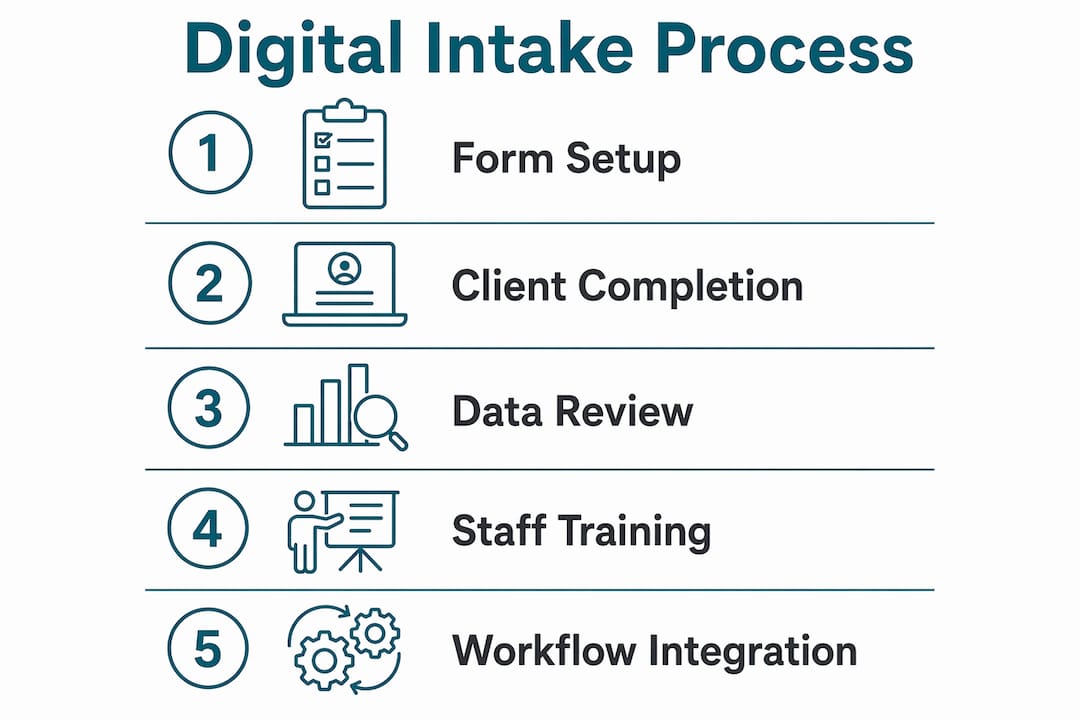
A clean implementation takes about two weeks from decision to full deployment. Here is the sequence that works.
-
Audit your current intake process. List every piece of information you currently collect on paper. Separate what you actually use from what you collect out of habit. Cut the latter.
-
Build service-specific forms. Create a separate form for each major service category: color, skin treatments, nail services, and express services. Digital intake integrated into online booking prepares salons and reduces appointment delays when forms match the service booked.
-
Set up automated delivery. Configure your platform to send the form link in the booking confirmation message and again 48 hours before the appointment. Keep the message short and direct. “Please complete your intake form before your appointment” with a single link is enough.
-
Communicate the change to clients. Send a brief note to your existing client list explaining that you have moved to digital forms. Frame it as a time-saver for them, not a process change for you. Most clients respond positively when the benefit is stated clearly.
-
Train your team. Walk every staff member through the new workflow before launch. Show them where form data appears in the client profile, how to pull it up during an appointment, and what to do if a client arrives without completing the form.
-
Monitor completion rates weekly. Most platforms report what percentage of clients complete forms before arrival. If your rate drops below 70%, shorten the form or adjust your reminder timing.
Pro Tip: Add a one-sentence explanation next to any sensitive question, such as why you ask about medications before a chemical service. Clients who understand the reason complete those fields at a much higher rate.
How digital intake improves client experience and salon efficiency
The operational impact of well-integrated digital intake is measurable and fast. Zero-entry check-in workflows using pre-visit digital forms reduce check-in to approximately 60 seconds. That is a significant change from the standard 5 to 10 minutes of clipboard time that delays service starts and backs up your schedule.
The benefits extend well beyond the front desk:
- Fewer transcription errors. When clients enter their own data, the risk of a staff member misreading handwriting or entering the wrong allergy disappears entirely.
- Personalized service from the first appointment. Your esthetician or colorist reads the client’s goals and history before walking into the room, not while standing at the chair.
- Stronger compliance posture. Signed digital consent forms are stored with timestamps and linked to the client record, which matters if a dispute arises.
- Reduced front desk workload. For high-volume salons, pre-populated client data transforms check-in from data collection to a quick confirmation, freeing staff for higher-value interactions.
“Digital consent forms serve both legal compliance and client experience acceleration by minimizing in-person paperwork.”: Bella Booking
The salons that see the biggest gains are those that treat digital intake as a workflow change, not just a form change. The form is the input. The integration is the engine.
Key takeaways
Digital intake forms deliver real efficiency gains only when form data flows directly into your salon management system without manual re-entry.
| Point | Details |
|---|---|
| Collect only what you use | Build service-specific forms and cut fields that do not inform treatment decisions. |
| Trigger delivery at booking | Send forms immediately post-booking and again 48 hours before to hit 80%+ completion rates. |
| Prioritize native integration | Choose platforms where form data auto-populates client profiles with no transcription step. |
| Verify compliance credentials | For skin and medical-adjacent services, confirm HIPAA readiness through BAAs and audit logs. |
| Train staff before launch | Assign a point person, run a parallel test period, and fix workflow gaps before retiring paper forms. |
Why I think most salons are still leaving value on the table
I have seen a lot of salons switch to digital forms and then wonder why nothing changed. The answer is almost always the same: they digitized the paper form without changing the workflow around it. The form arrives as a PDF attachment. The client prints it, fills it out, and brings it in. The front desk scans it. Nothing improved except the storage method.
The salons that actually benefit are the ones that treat the form as the first step in an automated sequence. The form triggers a profile update. The profile update triggers a pre-appointment note for the service provider. The service provider walks in prepared. That chain only works if every link is connected, and most salon software setups have at least one broken link.
The other mistake I see consistently is form overload. A new client books a haircut and receives a 25-question health history form designed for a chemical peel. They abandon it. They arrive without completing it. The front desk scrambles. The appointment starts late. The whole point of digital intake was to prevent exactly that scenario.
My honest recommendation: start with one service category, build one tight form, and get the integration working correctly before expanding. Early adopters who do this well gain a real operational edge. Clients notice when check-in takes 60 seconds instead of 10 minutes. They come back faster and refer more often. That is the actual return on investment, and it is worth getting right.
— Artur
See how Getconsentify handles salon intake from day one
Getconsentify builds digital consent forms specifically for beauty and wellness professionals. Every form is fully customizable by service type, includes e-signature capture, and stores signed records securely with timestamps. The platform connects to your existing booking workflow via API or embed, so client data lands directly in the right profile without a manual step. Whether you run a single-chair studio or a multi-location salon, Getconsentify removes the friction from client intake while keeping your compliance documentation airtight. Start with a free trial and have your first form live before your next appointment block.
FAQ
What are digital intake forms for beauty salons?
Digital intake forms for beauty salons are web-based questionnaires that collect client health history, service preferences, and consent before an appointment. They replace paper forms and integrate directly with salon booking and management software.
How do online client intake forms reduce check-in time?
When clients complete forms before arrival, front desk staff skip data collection entirely. Zero-entry check-in workflows reduce the check-in process to approximately 60 seconds compared to the standard 5 to 10 minutes with paper forms.
What should a beauty salon registration form include?
A beauty salon registration form should include contact details, health history and contraindications, service-specific preferences, and a signed consent section. Service-specific forms that match the booked treatment produce the highest completion rates.
Do digital consultation forms need to be HIPAA compliant?
For salons offering skin treatments or any service involving medical-adjacent information, HIPAA compliance requires verified encryption, audit logs, and a signed Business Associate Agreement with your form vendor. Verbal assurances from vendors are not sufficient.
What is the best way to get clients to complete intake forms before their appointment?
Send the form link immediately at booking confirmation and again 48 hours before the appointment via SMS. Text-delivered intake forms achieve over 80% pre-visit completion rates, which is the highest of any delivery method.